

"RIP page builders." The hype around Claude Design runs hot. "It's over for designers, Figma is dead," Anthropic itself is more measured. It positions Claude Design as a tool for designer exploration and non-designer visual production, with "polished" as the quality bar. We wanted to test pushing past the stated bar. So we handed five designers a real-world client brief, a landing page designed from scratch, and judged it against a deliberately higher standard: client-ready.
Designers called the execution incredibly strong on most tasks: it read visual cues, design systems, and written briefs together to produce a coherent final system, and it was notably good at fixing logos and wordmarks. The small details drew praise too: interactions, hover effects, a scroll variant that makes the nav more visible as you move down the page. One designer said the final landing page generated from the system exceeded every one of their expectations. But that was the ceiling, not the floor: sessions kept hitting the same wall, the layout and the style.
Three things came up repeatedly. Claude's color choices felt off. The output came back monotone, leaning on the wrong neutrals. Two designers flagged layout and structure problems, naming clutter and broken padding. And the tone read too playful for the client brief.
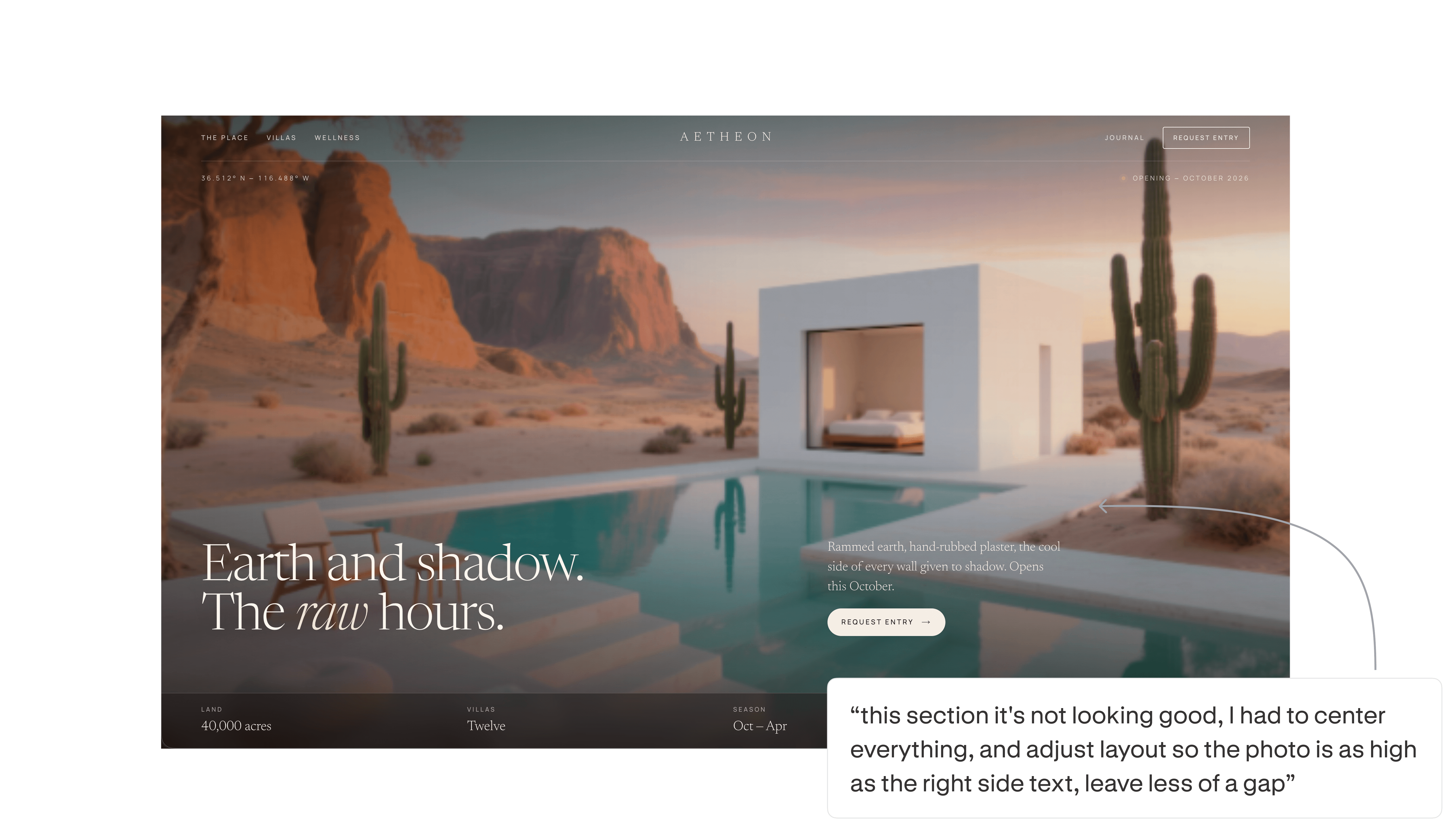
The moment they almost left
Frustration with the wait was real, and several designers hit a point where they nearly walked. One said that for the first half hour it felt faster to open Framer than to keep explaining the design to an AI.
This layout-and-spacing failure, showing up in a live session, is structural. The breaking point was the regression in output quality. Designers fed the tool specific edits, only to watch it ignore them or undo work that was already correct. The tool created the structure, and then failed to keep it stable.
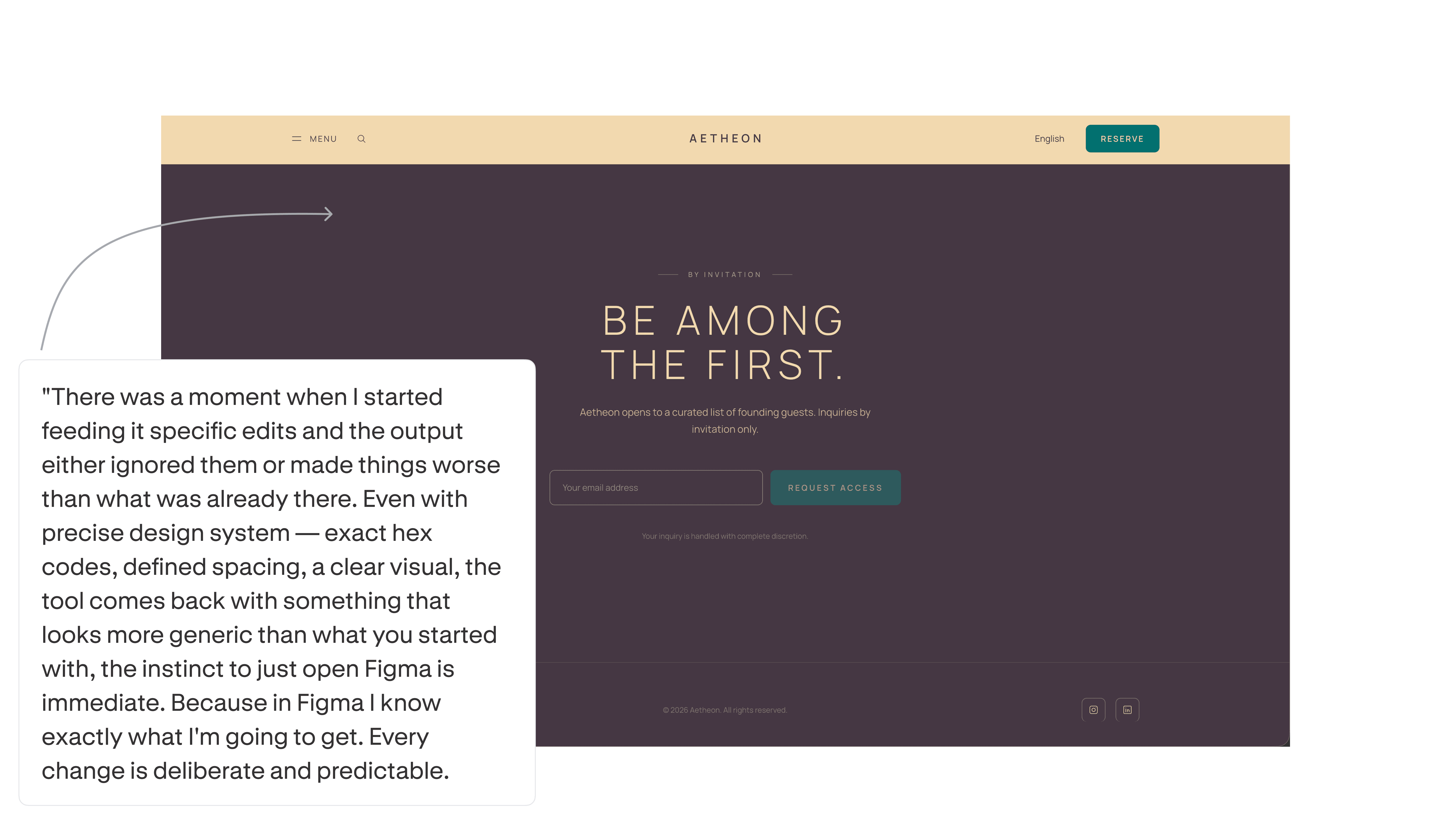
The designers reaching for Figma and Framer said the opposite of what you'd guess: they reached for them because they're predictable. A deliberate change produces exactly the intended result, where another prompt round was a coin flip that could make things worse.
The real cost was the wait with no guarantee the output moved forward.
The designers who didn't abandon it did one thing differently: they stopped treating it as a Figma substitute. Held to "generate a fast starting structure," it delivered. Pushed toward "make precise edits to a near-final layout," it broke.
What they'd change
When asked what they'd fix, designers described rebuilds. The change requests were structural: redo the layout, rethink the concept, reposition text throughout, fix a type hierarchy where font weight made copy unreadable, replace placeholder lettering with real elements. That's the work of getting a draft to something a client would accept.
What makes that damning rather than expected is the second half: every designer believed the tool should have handled exactly these things. Layout, color, text positioning, structure: not aspirational asks, but the baseline they walked in assuming an AI design tool would cover. The gap is between what the tool did and what designers considered table stakes.
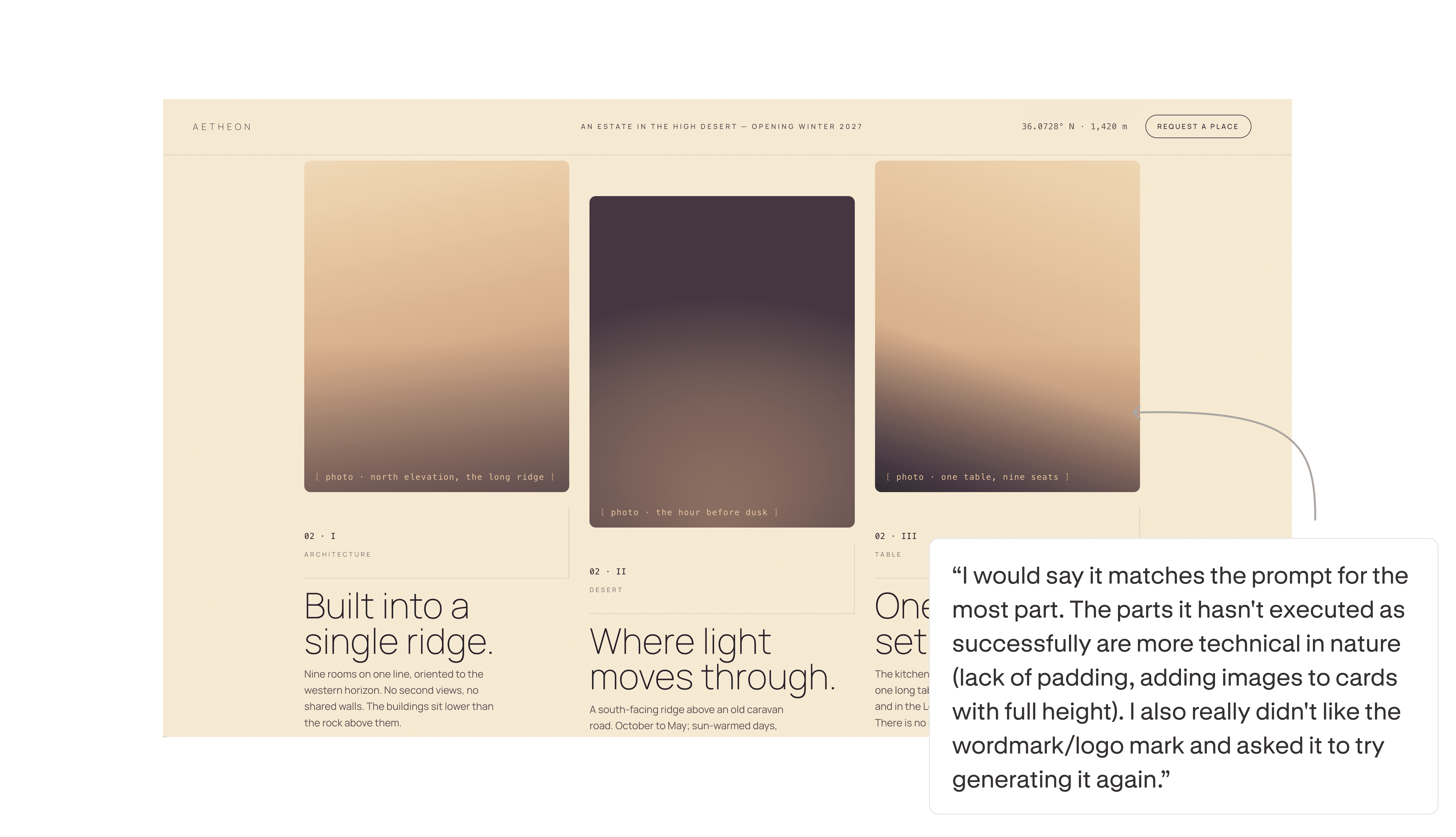
The tool had capability to spare. Designers praised the hover states, scroll animation on the nav, and small text behaviors: work nobody had asked for and nobody needed at this stage. That's the failure restated. A tool that polishes interaction details while the layout underneath won't hold is a misdirected one. The tool aimed at the surface edits while the structural fundamentals it was actually asked for went missing.
The verdict
The honest takeaway came from the designer who almost walked: use it to get to 40% quickly, then take over manually. Don't try to push it to 80% through prompting. That's where it breaks down, and where the time loss starts.
Claude Design is a fast way to a starting structure: a strong first draft of the system. It is not yet a precision instrument. Generate the skeleton in Claude. Set the details in Figma.
Methodology
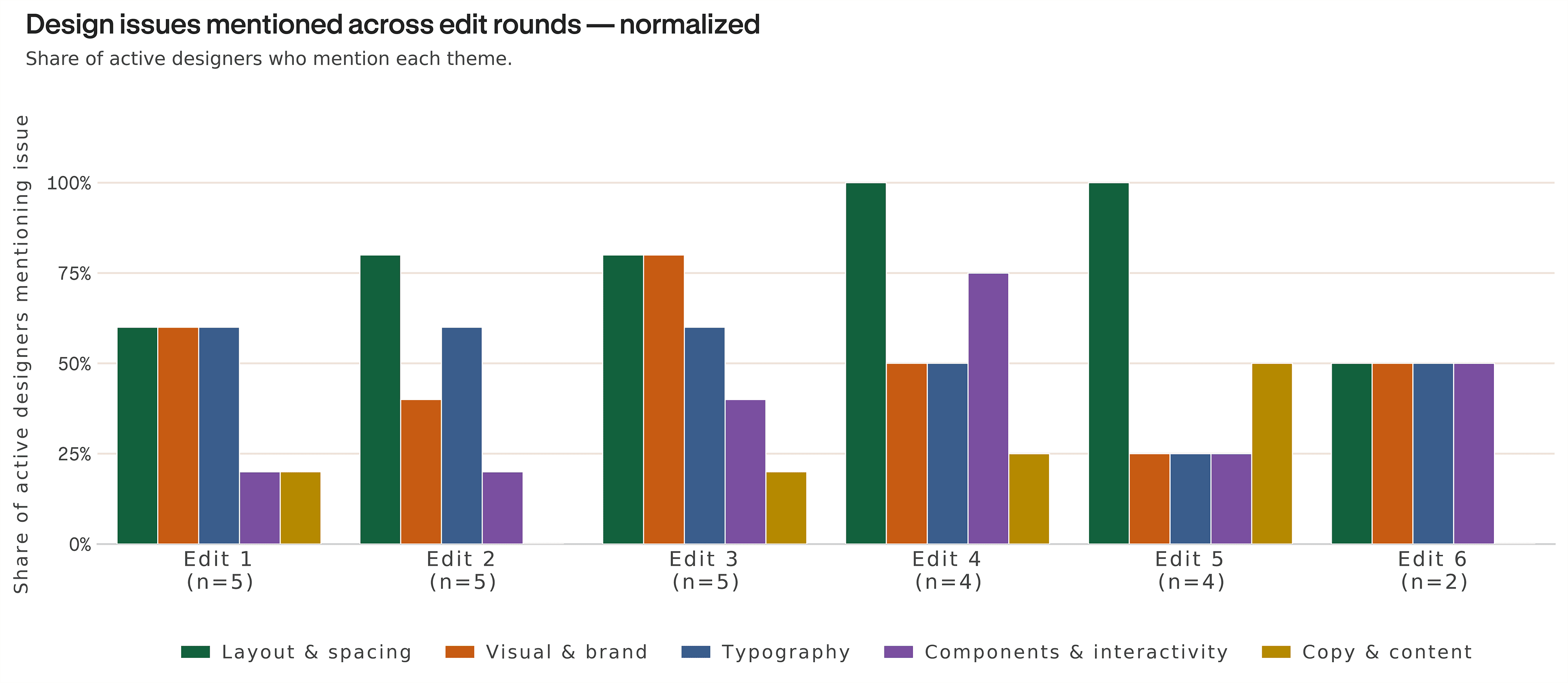
5 sessions across 5 designers and one real-world client brief: a landing page supplied with a written brief, inspirational imagery, reference websites, and candidate color palettes. Each designer ran one session and iterated through multiple rounds of edits, prompting Claude Design as they would in a normal workflow. After each session, designers reported on tone and style fit, layout and structure, what they would change, and whether the output met their expectations. Open-ended responses were coded into the five themes shown in the edit-round chart and throughout this article using OpenAI's gpt-4o model.
- Layout & spacing (structure, padding, alignment, composition)
- Visual & brand (color palette, neutrals, logo and wordmark, overall brand feel)
- Typography (typeface choice, hierarchy, weight, readability)
- Components & interactivity (hover states, scroll and nav behaviors, component-level treatments)
- Copy & content (placeholder versus real text, content fit)
Each comment was also coded for sentiment (positive, negative, neutral). We then read the themes against the edit rounds to see which issues cleared with iteration and which held.
Limitations
Feedback was self-reported from the same designers who produced the work, carrying the usual self-assessment bias. The sample is small, and we treat these findings as directional, not calibrated. Only one brief was tested, so brief-specific effects can't be cleanly separated from the tool's general behavior. The patterns, however, hold across designers and across edit rounds in the same direction: a strong system-level start, weak precision execution under iteration.
How we ran this study → Methodology